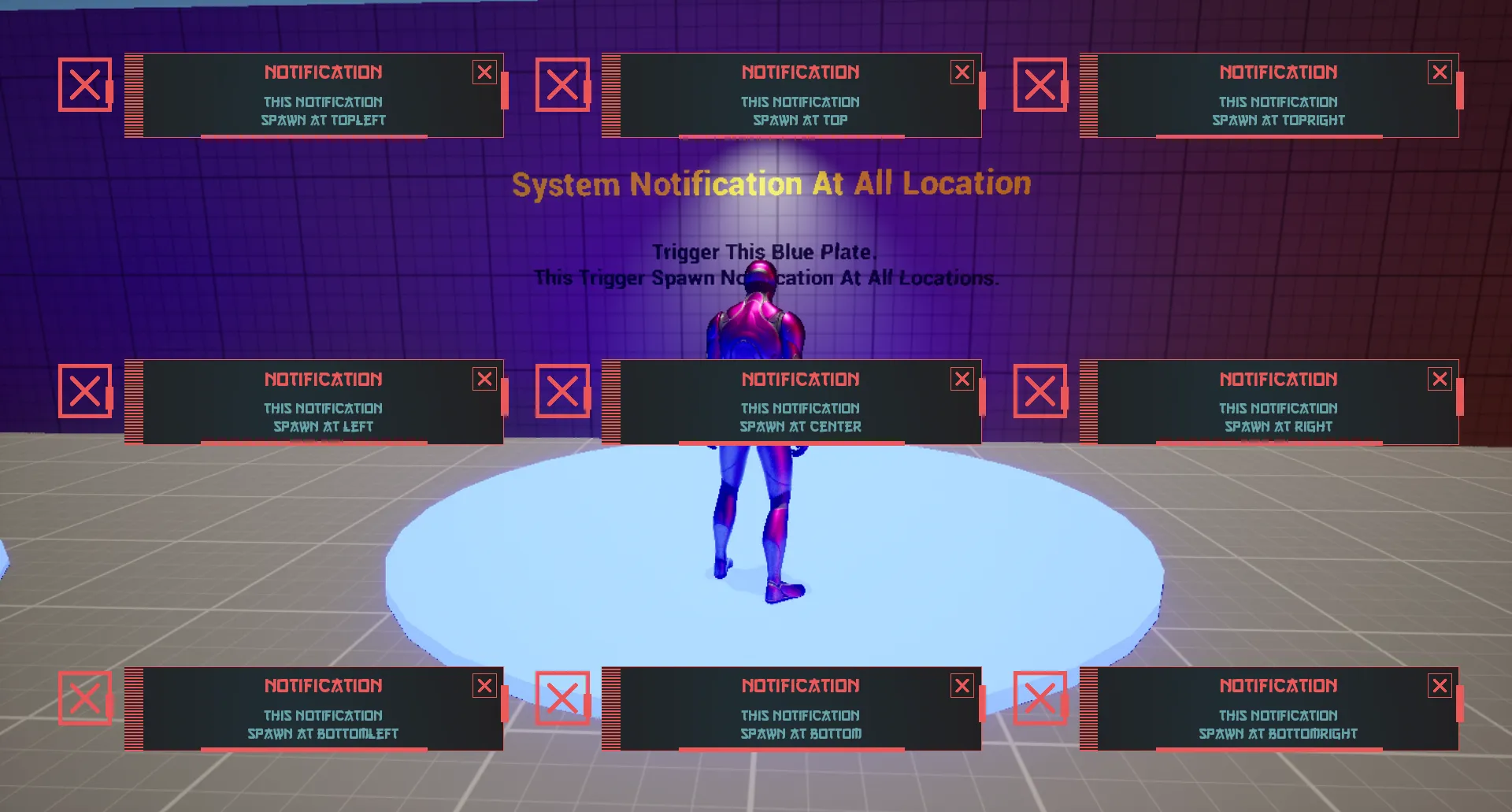
Setup and Initialization
Add BP_StackerSpawner_AC to your character and learn what WBP_Stacker does.
1. Adding BP_StackerSpawner_AC to the Main Character
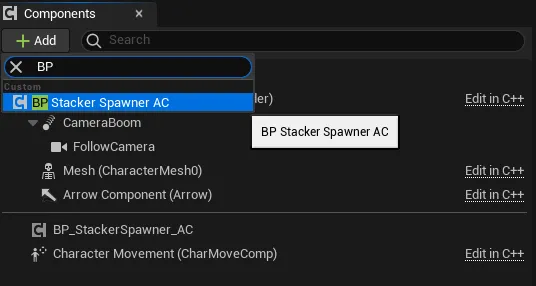
First, open the Blueprint of your main character. Then, navigate to the Components section and add the BP_StackerSpawner_AC component to the character, as shown in the image below.
2. What is This Component?
Essentially, this component adds a persistent widget to the player's screen as soon as the game starts.
The widget is named WBP_Stacker and creates 9 vertical boxes on the player's screen.
As a result, whenever you use spawning nodes anywhere in your project, such as WBP_Notification or WBP_WindowConfirmation, and define their spawn location, they will be created at the specified location and added to the Stacker.
Depending on the spawn location selected in these two widgets, they will dynamically be added as a Child to one of the 9 boxes in the Stacker.
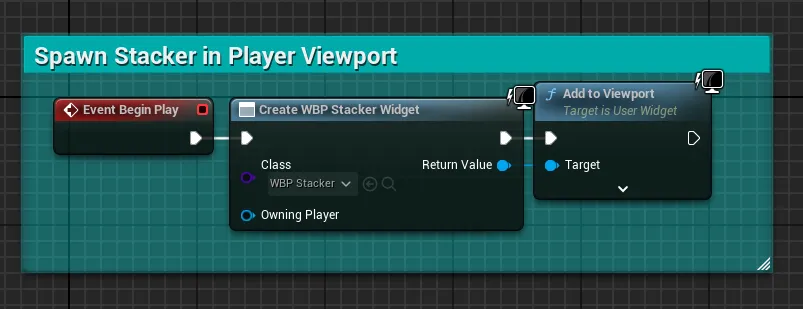
3. What is WBP_Stacker?
WBP_Stacker is a full-screen widget containing 9 vertical boxes.
By adding the BP_StackerSpawner_AC component to the main character, you essentially integrate this widget into your character.
The widget’s purpose is to provide 9 vertical boxes positioned at various locations on the screen. These boxes are designed to stack notifications (WBP_Notification) and window confirmations (WBP_WindowConfirmation), allowing the user to specify their location and assign them to the desired box.