
Smart pings
Decide what marker a ping creates on an object with BPC_AutoMarker.
BPC_AutoMarker shows nothing until someone pings the object. It only decides what marker is created when a player does. The marker is placed at the object's location, not at the exact hit point.
Warning
Collision matters. Marking traces from the camera on the Visibility channel. The object must block that channel, or the trace passes through and a plain mark lands behind it.Presets
| Auto Marker Preset | What it creates |
|---|---|
Danger |
A Danger ping on the object. Good for enemies and traps. This is the default. |
Custom Item |
An Item marker named Auto Marker Name, styled by Marker Item Data. Demo examples: weapons, medkit, armor. |
Unknown Item |
An Item marker called "Unknown Item", styled by the compass's Unknown Item Data. For loot that shouldn't reveal what it is. |
Custom Marker |
A Custom marker using Custom Marker Data. Full control over the look. |
Settings
| Setting | Default | What it does |
|---|---|---|
Auto Marker Preset |
Danger | Which of the four presets above to use. |
Auto Marker Name |
Unknown | Marker name for the Custom Item and Custom Marker presets, for example "Rifle". |
Marker Item Data |
The look for Custom Item. Put the item icon in Icon Data → Marker Icon (for example T_Rifle). |
|
Custom Marker Data |
The look for Custom Marker. |
Ready-made item icons
These are in Assets/2D/ItemIcons.
| Texture | Texture |
|---|---|
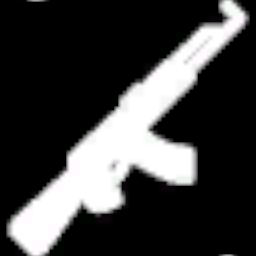 T_Rifle |
 T_Medkit |
 T_Pistol |
 T_ArmorPlate |
 T_Sword |
 T_Car |